Projects / AI furniture visualization
NextReal Studio
An AI furniture visualization app for the furniture industry. Photorealistic renders in interior arrangements, product packshots and material swaps — no graphic design experience needed, fast and in 4K.
Next.js · Supabase · Gemini AI · OpenRouter · Tailwind CSS · Stripe
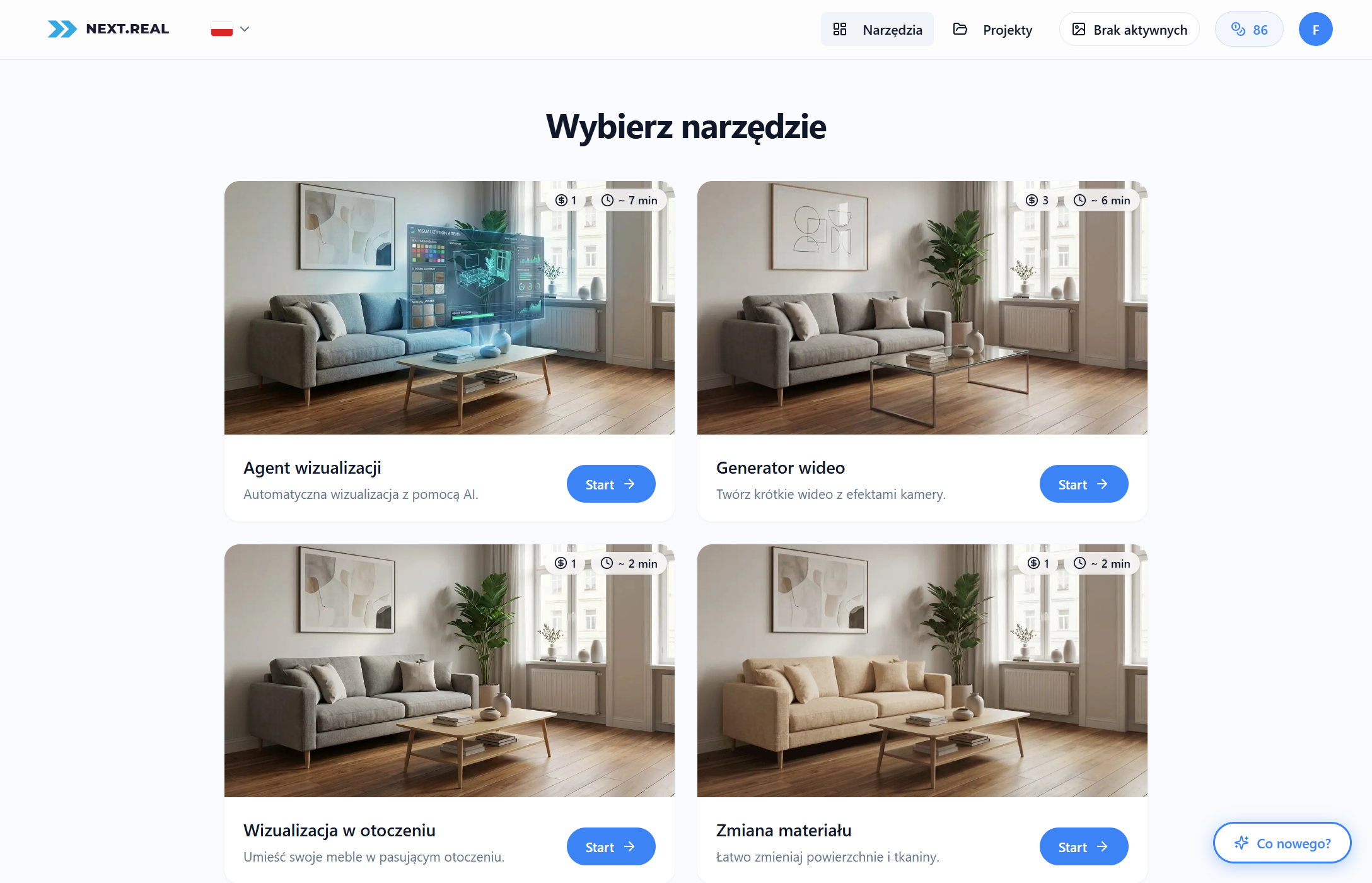
Project idea
The goal was to lower the cost, time and barrier to entry for furniture visualizations. Furniture companies spend a fortune on 3D artists and photographers, and the photos from the manufacturer look identical to the competition's. NextReal lets an ordinary person at a furniture company generate photorealistic visualizations on their own.
The user uploads a photo of a piece of furniture, chooses a feature (arrangement, packshot, material swap), and AI generates ready-made visualizations in 4K. Around 95% of the results are satisfying right away — with no knowledge of prompts, graphic design or 3D modeling.
Key features
Dedicated AI tools designed specifically for the furniture industry — better results than generic AI thanks to specialized prompts.
Visualizations in arrangements
Photorealistic furniture renders in the context of interiors. AI recognizes the furniture type, picks the right room and places the furniture naturally in the scene, in 4K resolution.
Product packshots
Professional product photos on a white or studio background — ready for e-commerce and catalogs, and possible to generate in bulk.
Material swaps
Changing the fabric, color or material of a piece of furniture without having to photograph each version separately, while preserving proportions and lighting.
The visualization agent
The flagship feature combines large language models (LLMs) with image generation models into one workflow. It's not a simple “upload a photo and generate” — it's an autonomous agent that thinks, generates and verifies itself. The user doesn't write prompts at all.
- Recognition. An LLM analyzes the photo — identifies the furniture type, style, materials and proportions.
- Prompt building. The agent composes the optimal prompt, picks the room and places the furniture in the scene (e.g. a bed with its headboard against the wall).
- Generation. A generative model creates a photorealistic 4K visualization based on the compiled prompt.
- Self-check. A separate LLM verifies the result — checks whether the furniture is reproduced correctly and whether the visualization meets the quality requirements. If not, it iterates.
How it works for the user
- Choose a feature: arrangement, packshot or material swap.
- Upload a photo of the furniture.
- AI creates a photorealistic 4K visualization.
- Download the ready-to-use result.